Marissa Mayer Mocked for Asking Her AI Chatbot to Help With ‘Impossible Task’ of Naming 3 Qualities That Make Her Daughter Special
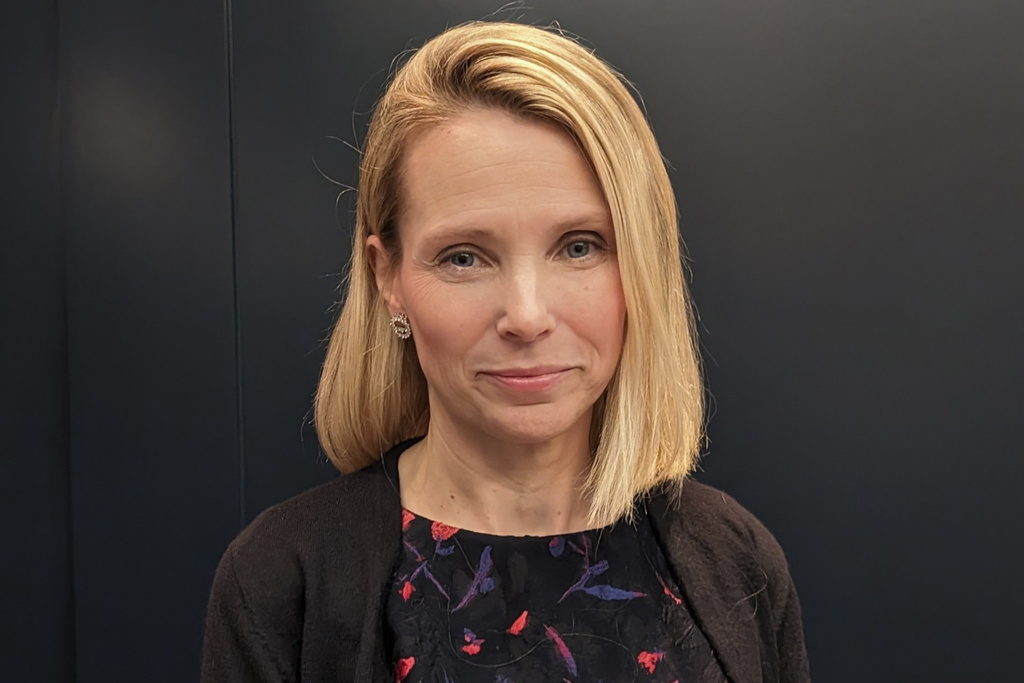
Mike Liedtke/AP photo
Former Yahoo! CEO Marissa Mayer has been raked over the coals of the internet after she told The New York Times that she once needed artificial intelligence to help with the “impossible task” of naming three qualities that make her 10-year-old daughter special.
Mayer made the remarks in a Times article entitled, “She Knows Silicon Valley. Does She Know What Women Want From A.I.?”
The article by Alexandra Alter begins with a revelation that Mayer once turned to her own AI chatbot, Dazzle, when presented with what she described as an “impossible task” assigned by her 10-year-old daughter Marielle’s teacher: Three bullet points summarizing what makes Marielle special.
“It came back and was like, your daughter is empathetic, creative and an animal lover,” Mayer told The Times.
Mayer twice promoted the article in two social media posts on Sunday:
Here's the NYT Style section piece on Dazzle. We built Dazzle to be great for both genders, but it's particularly good for women because it understands taste and context. It also does it in an easy seamless way by understanding the photos and screenshots you take anyway!… pic.twitter.com/g68qOpacTt
— marissamayer (@marissamayer) October 25, 2026
Thank you @nytimes and @xanalter for today's piece on Dazzle (@itsdazzleai). Dazzle is great for both genders, but we think it should be especially good for women given the way it understands taste and context. https://t.co/AUhCDqf9Uv
— marissamayer (@marissamayer) October 25, 2026
But the rest of the Twitterverse didn’t share the same gratitude, especially parents.
“Couldn’t waterboard this out of me and she told THE NEW YORK TIMES,” CBS News reporter Kathryn Watson wrote.
Couldn't waterboard this out of me and she told THE NEW YORK TIMES https://t.co/Tt3NNRQbCJ
— Kathryn Watson (@kathrynw5) October 26, 2026
MS NOW contributor Molly Jong-Fast posted: If an ai knows your ten year old better than you do, you’re in a lot of trouble
If an ai knows your ten year old better than you do, you’re in a lot of trouble https://t.co/dMhD4YV9cu
— Molly Jong-Fast (@MollyJongFast) October 26, 2026
Two others came up with the same word to describe Mayer’s revelation: bleak.
This is bleak.
As a non-parent, I never judge parents unless there's a case of abuse or a clear case of really bad parenting.
I've come to appreciate how difficult it is to be a parent and how parents sometimes have to make compromises to care for their kids that don't always… pic.twitter.com/03eanHtABV
— Yashar Ali
(@yashar) October 26, 2026
this is so bleak pic.twitter.com/h7K7oJWELh
— Keith Edwards (@keithedwards) October 25, 2026
Here are more:
"She thought it was perfect."https://t.co/f0S5oSDHNQ pic.twitter.com/ltF1IIV7WR
— Ryan Mac
(@RMac18) October 26, 2026
This is the silliest thing I’ve read in a while. She needs an AI to help her articulate 3 things that are special about her own child? Are you for real? Then again, this track w the history here https://t.co/dedZqjPBly
— Jen Looper, PhD (@jenlooper) October 25, 2026
I was at Yahoo when Marissa Mayer was firing everybody and honestly a chatbot may have been more forthcoming and empathetic https://t.co/hyKvj1TONE
— Jordan Zakarin (@jordanzakarin) October 26, 2026
I refuse to let this be the future of parenting. https://t.co/qcIGeQmnkE
— Amanda Litman (@amandalitman) October 25, 2026
The Great Dunce Reveal https://t.co/Zh4TYqOjb6
— Ed Zitron (@edzitron) October 26, 2026
Oh my god https://t.co/SGk7GE5985
— Gaby Goldberg (@gaby_goldberg) October 26, 2026
When a mom needs to ask an AI assistant what's special about her 10-year-old daughter, something has gone horribly wrong!
These tech lunatics want to farm out our humanity to AI. https://t.co/xn9iU6sstp pic.twitter.com/7q8ki5rBov
— Carl (@HistoryBoomer) October 26, 2026
I think the fact that Marissa Mayer would voluntarily disclose this to a reporter is a pretty good demonstration of how deeply the culture of Silicon Valley has diverged from the rest of humanity https://t.co/9SKJ1Hnu3B
— Leah Greenberg says NO KINGS
(@Leahgreenb) October 26, 2026

> impossible task
> saying 3 nice things about her daughter
> uses her agent
> 3 completely generic things
> thinks it's perfectWhat are we doing here? pic.twitter.com/N9zo8Xbnww
— Joe Doliner (@jdoliner) October 26, 2026
—
The post Marissa Mayer Mocked for Asking Her AI Chatbot to Help With ‘Impossible Task’ of Naming 3 Qualities That Make Her Daughter Special first appeared on Mediaite.
from Mediaite https://ift.tt/S4PZAcm